Your iCloud calendars on Windows, shared ones included
No Outlook, no iCloud.com tab open all day. One click in the taskbar and your iPhone agenda shows up on your PC, along with the calendars other people shared with you.
7-day free trial, no card required
Why iCloud for Windows doesn't solve this
Apple's official path on Windows pushes your iCloud calendar into Outlook through an add-in. That requires desktop Outlook installed, and it's where most people get stuck. Recent versions of iCloud for Windows stopped offering the calendar and contacts sync option on many machines, pointing users to iCloud.com in the browser instead.
Shared calendars are the part that breaks most often. The calendar your partner or your team shared with you tends to be exactly the one that doesn't come through. And when it does, it disappears after an update.
iCloud.com works and shows everything, shared calendars included. But it's a browser tab. You don't glance at a browser tab ten times a day to check whether you have a meeting at three.
The three paths, side by side
| iCloud.com in the browser | iCloud for Windows + Outlook | ZefirCalendar | |
|---|---|---|---|
| Shows shared calendars | yes | unreliable | yes |
| Works without Outlook installed | yes | no | yes |
| Visible in the taskbar | no | no | yes |
| Create and edit events | yes | yes | yes |
| Native Windows notifications | no | yes | yes |
| Cost | free | free | free for 7 days |
Comparison verified in August 2026. Apple and Microsoft change this behavior often.
How ZefirCalendar does it
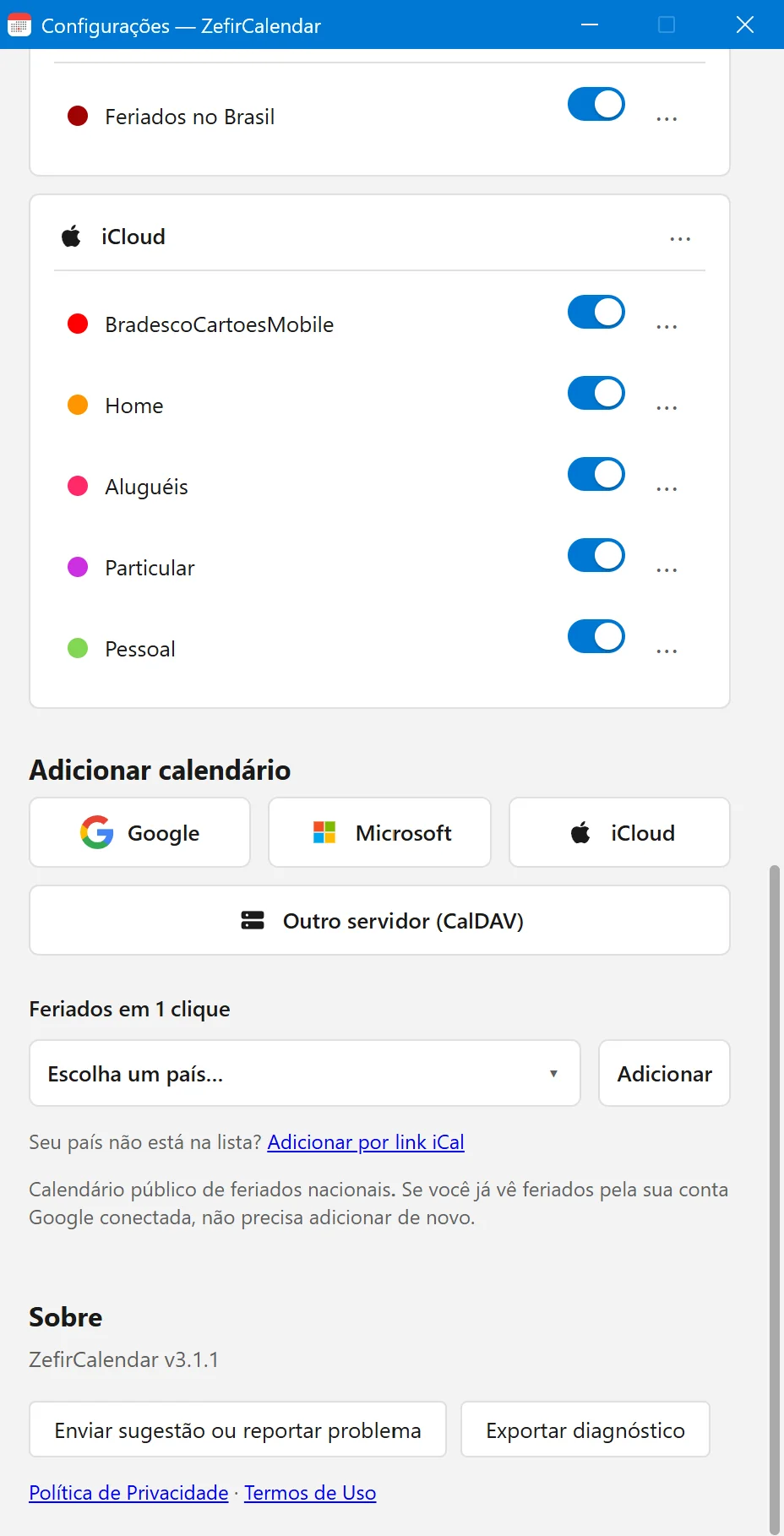
Connect with an app-specific password, not your Apple ID password
You generate an app-specific password on Apple's site and paste it into ZefirCalendar. Your main password is never typed or stored. Calendars shared with you show up in the list alongside your own.
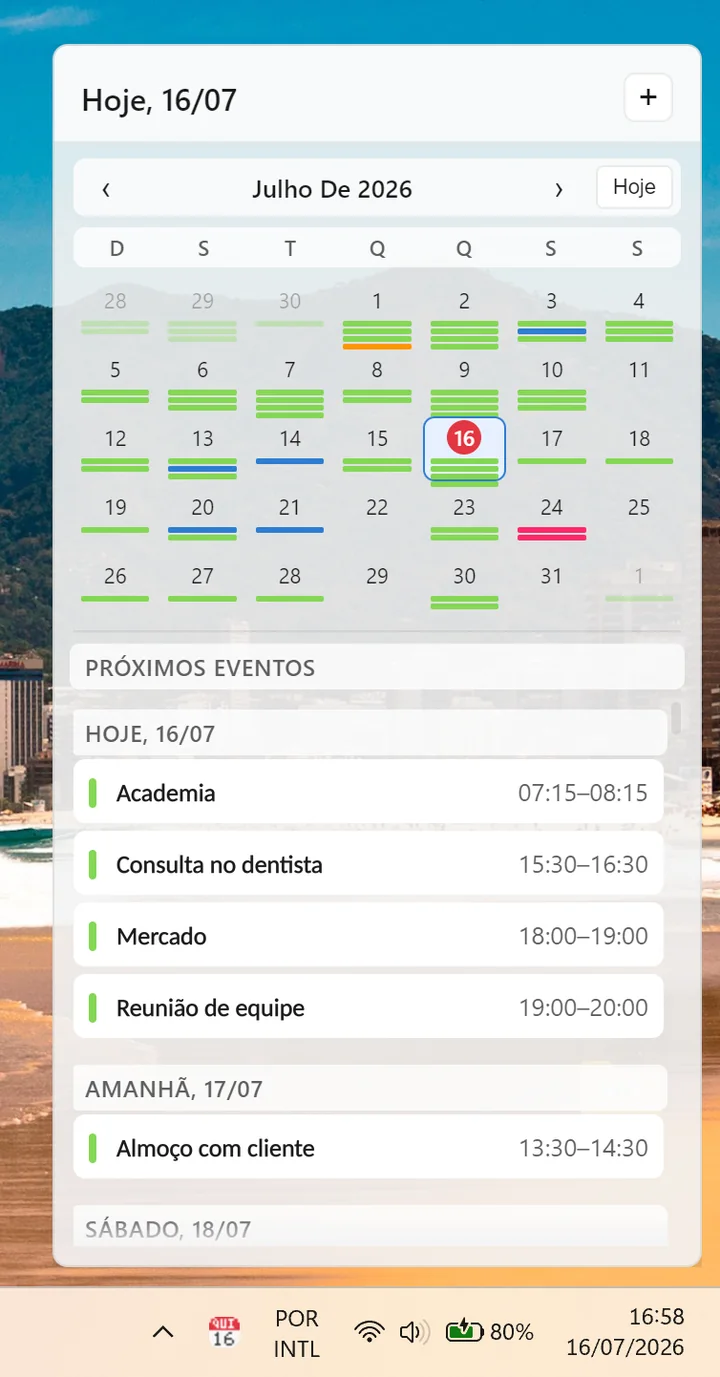
Your iPhone agenda, right in the PC taskbar
One click on the tray icon opens a flyout with your upcoming events in chronological order. What you scheduled on your iPhone this morning is there when you sit down at the computer.
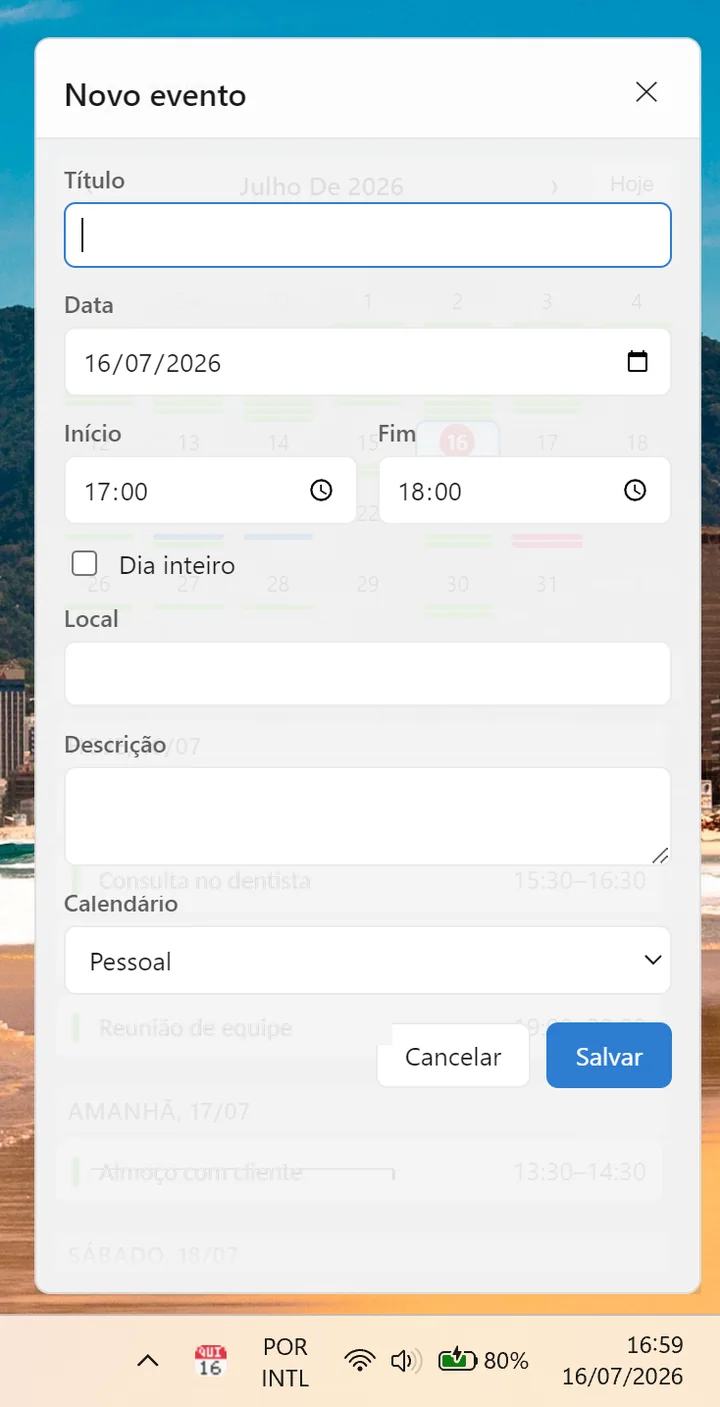
Create events that land straight in iCloud
Pick the target calendar, shared ones included, and the event goes to the right account. Within seconds it shows up on the iPhone of whoever shares that calendar with you.
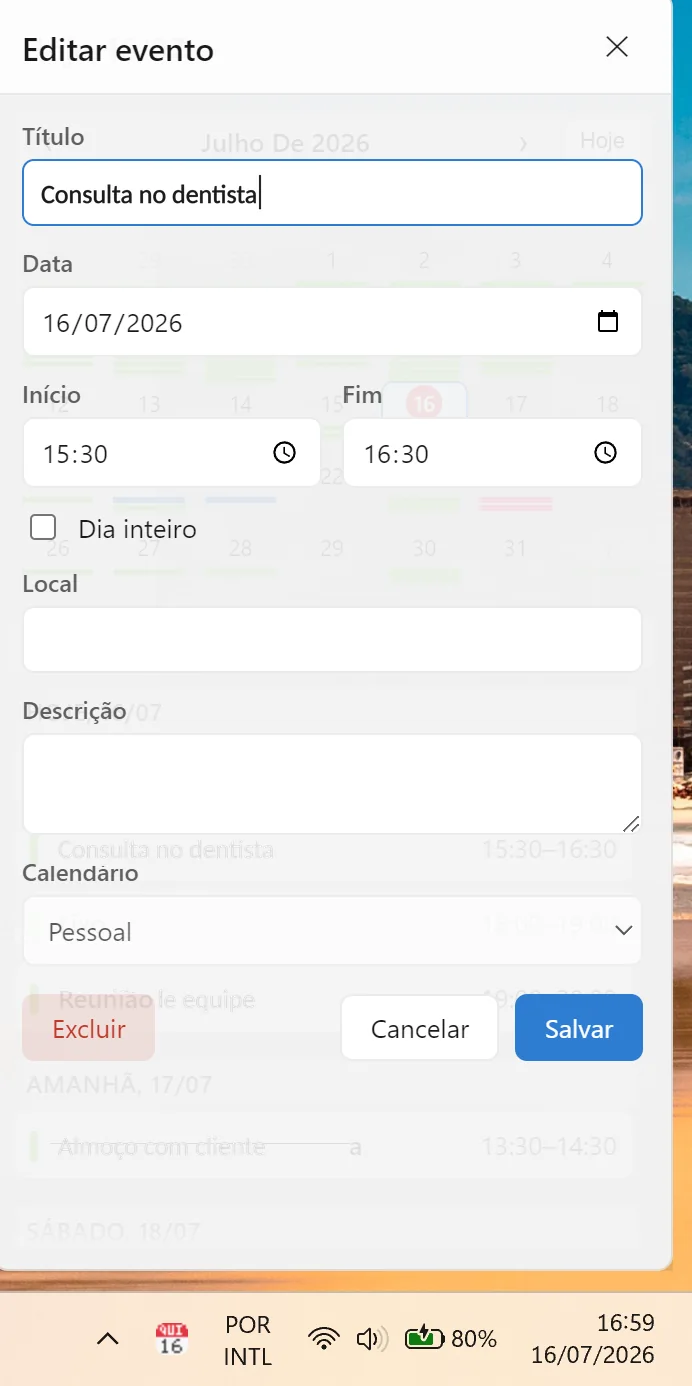
Editing and deleting work too
This isn't a read-only window. Meeting moved? Change it in the flyout and it syncs up to iCloud, reflecting across every Apple device on the account.
Frequently asked questions
Do I need iCloud for Windows installed?
No. ZefirCalendar talks directly to Apple's servers over CalDAV, the same protocol the iPhone and Mac use. It doesn't depend on iCloud for Windows or Outlook.
Can you see my appointments?
No. There's no server of ours in the middle. The app talks directly to Apple, and your credentials stay encrypted on your machine.
Why an app-specific password instead of my regular one?
Because Apple requires it for accounts with two-factor authentication, and because it's safer for you. An app-specific password can be revoked anytime on Apple's site without affecting your account.
Does it work with a calendar someone shared with me?
Yes, and that's exactly the case other solutions leave out. Calendars shared with you appear in the list and can be edited, if the person who shared gave you edit permission.
Can I use it alongside Google and Outlook?
Yes. All three accounts live in the same chronological list, plus ICS feeds for teams, schools or holidays.
How much does it cost?
A full 7-day trial, no card required. After that, the subscription costs less than a coffee a month, or you stay on the free tier, which shows today's events.
Stop opening iCloud.com to check your own schedule
Install it, connect your iCloud account, and see the flyout in your taskbar in under two minutes. Seven full days, no card.
Get it on the Microsoft Store