For Windows 11 · native arm64 and x64

ZefirCalendar: your iCloud shared calendars, finally on Windows.

The calendar you share with your family on iPhone shows up in the Windows 11 tray, next to Google Calendar and Outlook, one click from the clock. Create and edit events right there.

Free for 7 days, no card. Then US$ 29.99 a year, which works out to US$ 2.49 a month (or US$ 2.99 on the monthly plan). One-click install, no admin password.

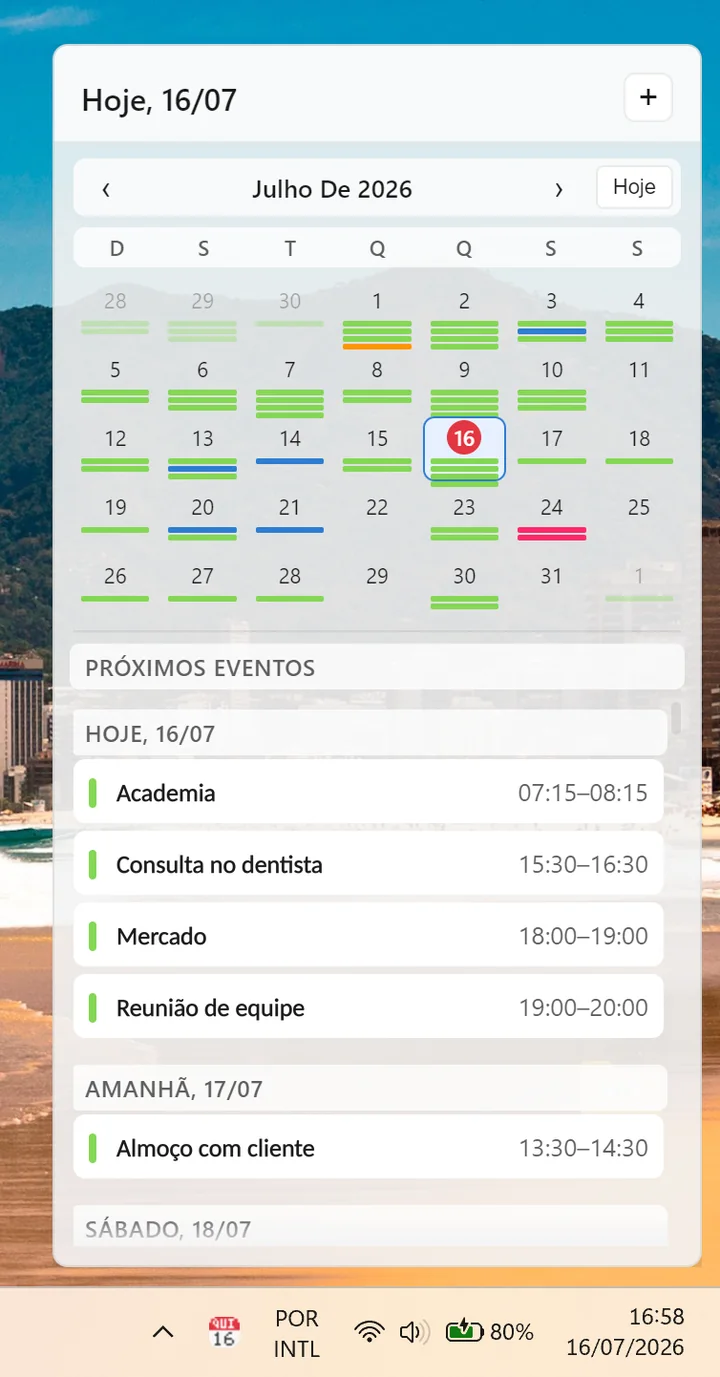
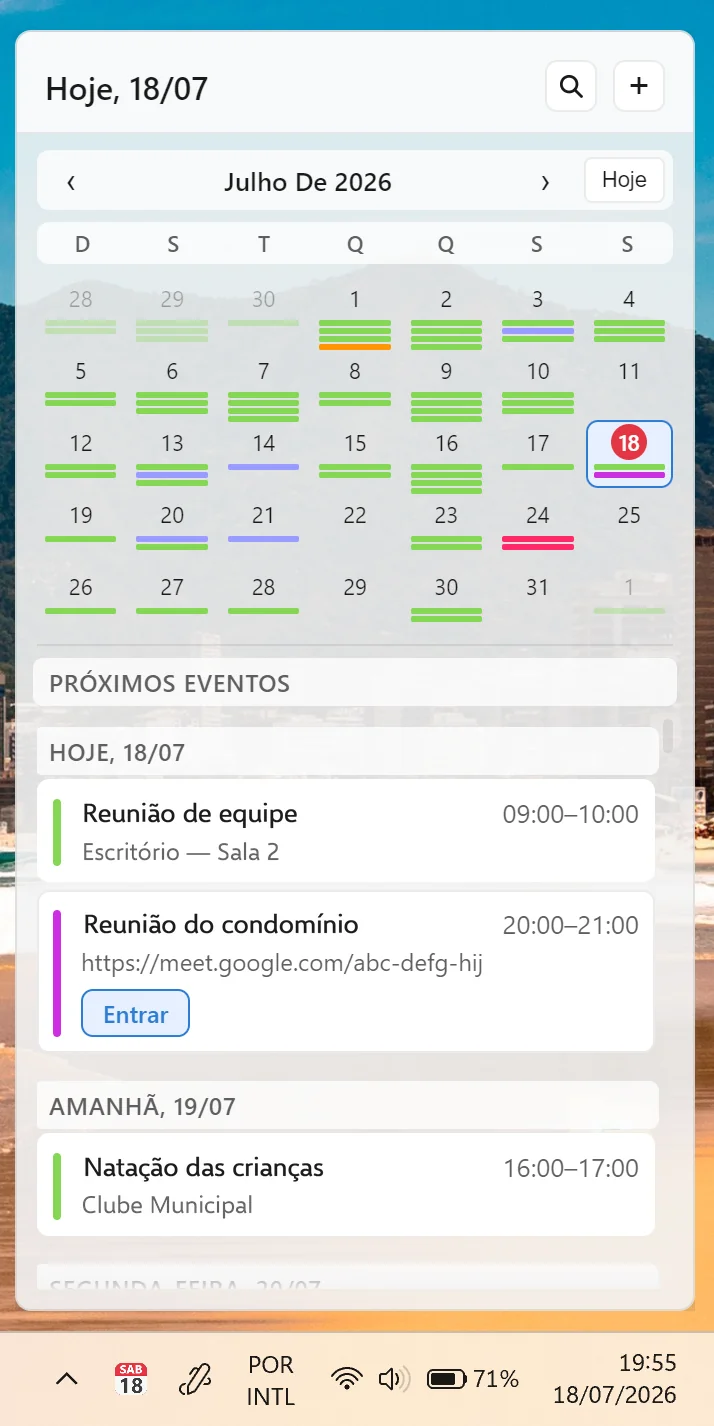
ZefirCalendar flyout open above the Windows 11 taskbar, with the month calendar and the list of upcoming events
Click the icon next to the clock
--:----/--/----

The feature almost nobody else has

Half your life is on your iPhone. The other half is on Windows.

iPhone

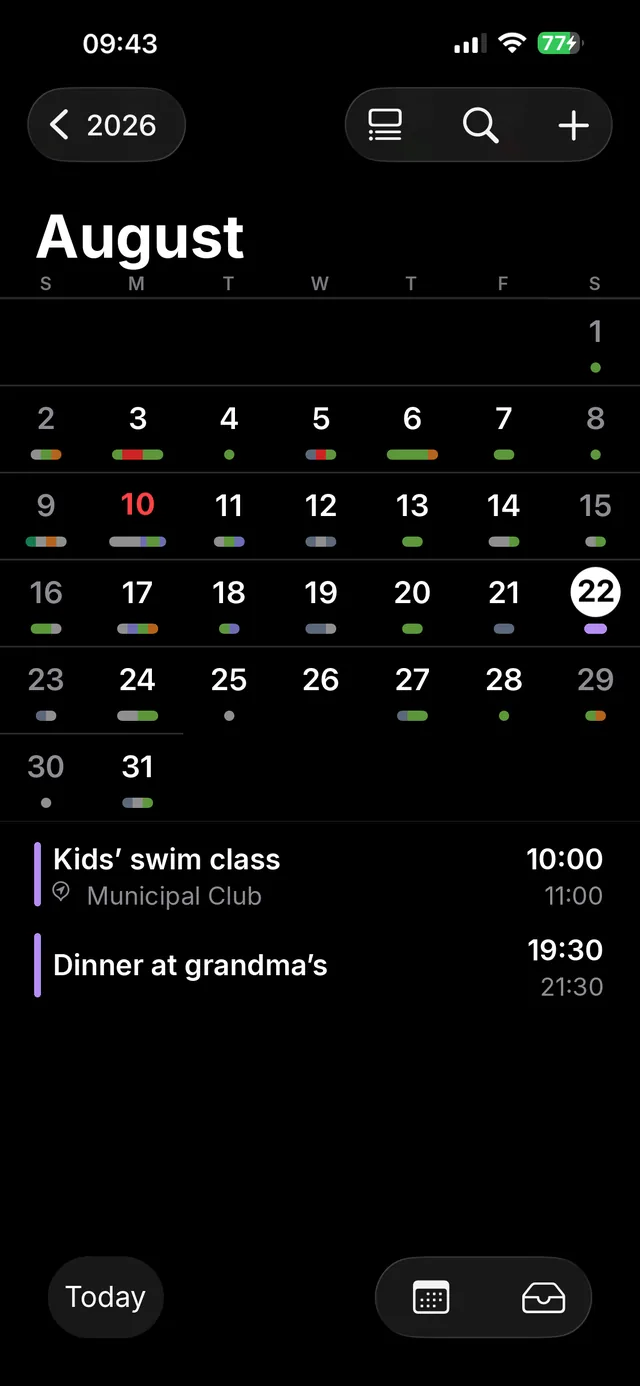
iPhone Calendar showing Saturday with the shared calendar’s events

ZefirCalendar

Today

Team meetingJoinGoogle Calendar
Dermatologist appointmentiCloud
Family dinneriCloud · shared calendar

Tomorrow

Drop the car for serviceOutlook

Windows

Saturday

Kids’ swim class iCloud · shared calendar
Dinner at grandma’s iCloud · shared calendar

The calendar you share with your partner, your family, or your team on iCloud simply doesn’t show up in most Windows apps — not even in some big-name ones. ZefirCalendar displays your iCloud shared calendars right in the tray, next to everything else. If half your life is planned on an iPhone and the other half on a PC, this is the bridge.

iCloud calendars on Windows: how it works, and how it compares

What it does, in practice

ZefirCalendar flyout open in the Windows taskbar, showing the month and the next events

Your entire agenda in the Windows taskbar

One click on the tray icon opens a flyout with iCloud, Google and Outlook in a single chronological list. No browser, no tab left open all day.

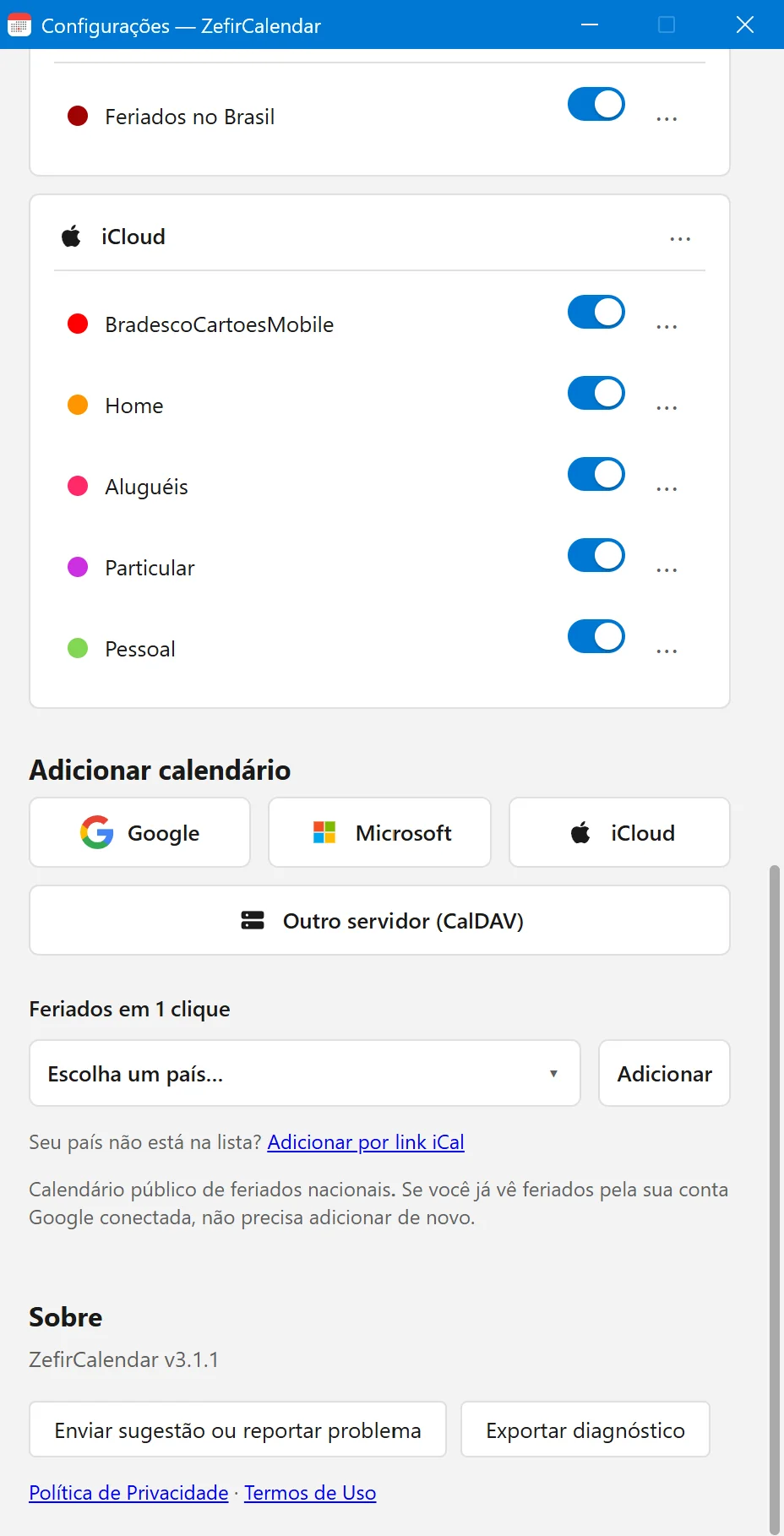
ZefirCalendar Settings window with the connected iCloud, Google and Microsoft accounts

iCloud shared calendars, finally on Windows

Connect iCloud, Google, Microsoft and ICS feeds in one window. Calendars someone shared with you show up next to your own, something Windows alone won’t do.

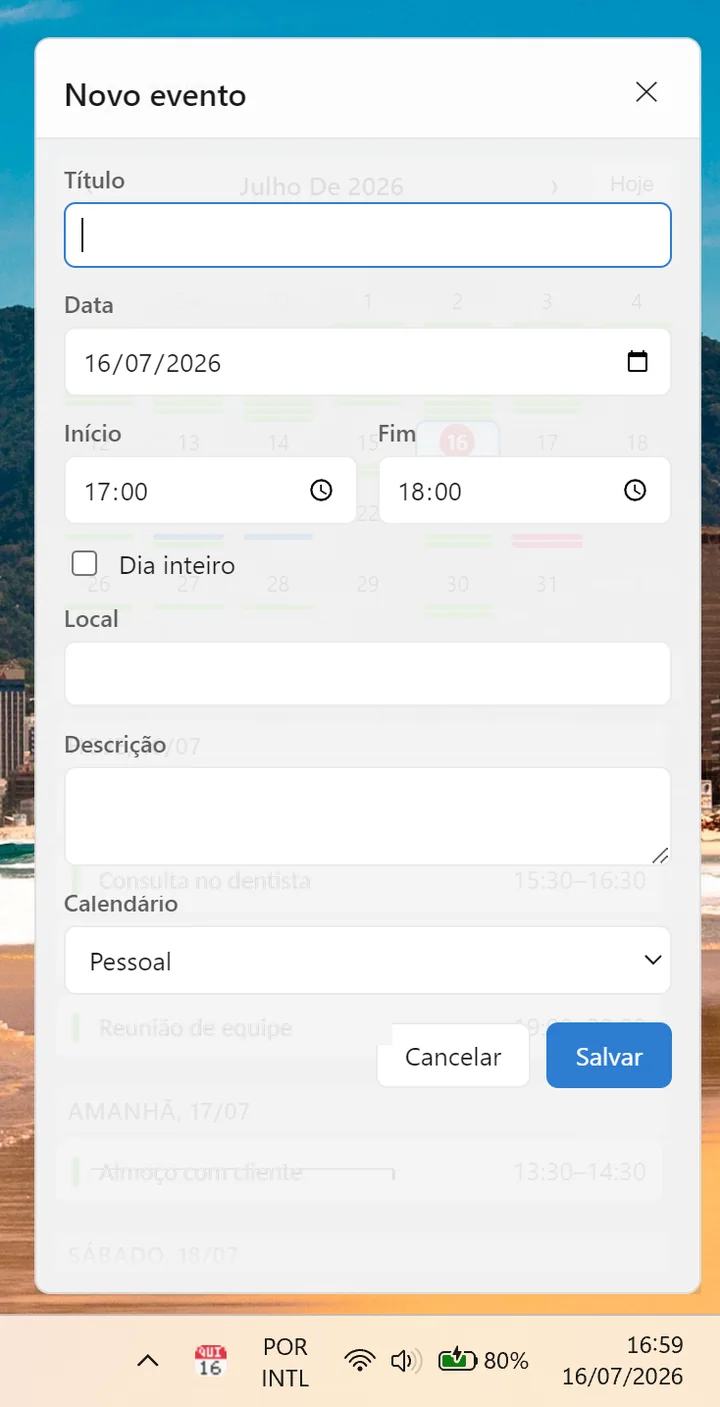
New event window, with fields for title, time and target calendar

Create events without opening the browser

Title, time, target calendar and reminder right in the flyout. The event lands in the right account and shows up on your iPhone in seconds.

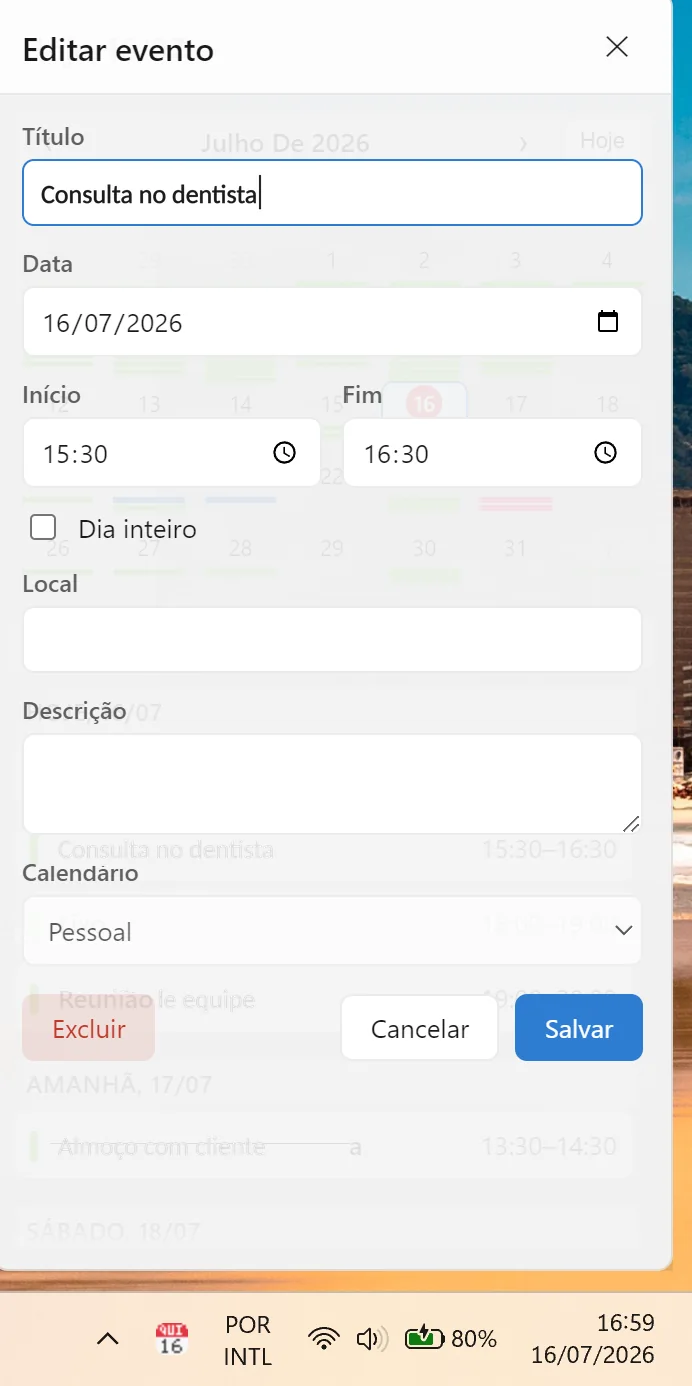
Edit event window, with the time of an appointment being changed

Edit and delete right where you are

Meeting moved? Change it in the flyout and it syncs back to the source account. Works for iCloud, Google and Outlook.

Event with a Google Meet link and the join button, inside the flyout

Join the meeting in one click

ZefirCalendar spots Google Meet, Microsoft Teams and Zoom links inside the event and shows a join button. No more hunting for the address in the invite body.

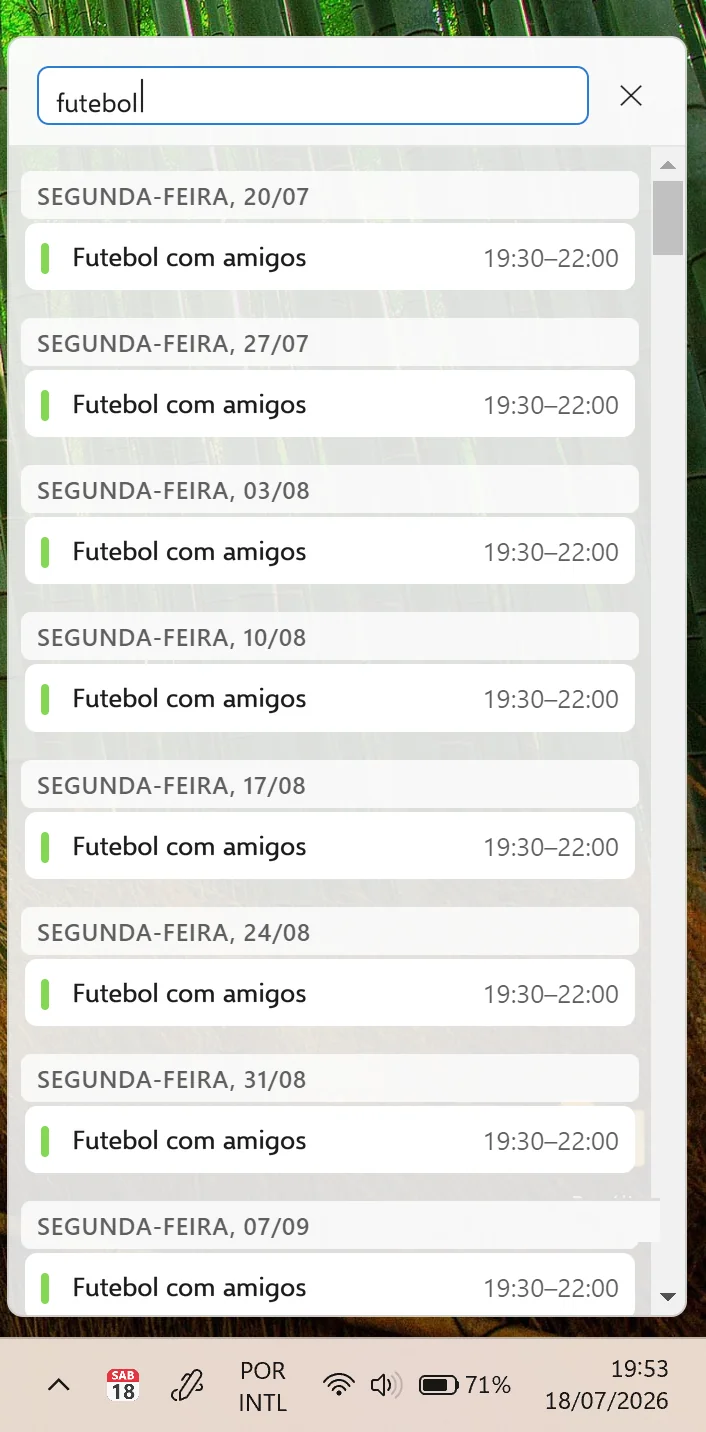
Search open in the flyout, listing events found across every connected calendar

Search every calendar at once

Type a word and ZefirCalendar sweeps every connected account, three years back and two years ahead. Finding that one appointment stops being a dig.

Three steps and you’re done

Made for people who just want their agenda working — no complicated setup.

  1. Install

    One-click install from the Microsoft Store. No admin password, and the app can start with Windows if you want.

  2. Connect your calendars

    On first run, Settings opens with a guided walkthrough to connect iCloud, Google Calendar, and Outlook. Signing in to Google and Outlook takes one click, in your own browser.

  3. Click the icon

    Your agenda appears next to the clock, just like Windows 10: month view or a list of your upcoming events.

Pricing

Try it free for 7 days — no payment, no credit card. If you like it, subscribe: it costs less than a coffee a month.

Monthly

$2.99per month

Save 16%

Annual

$29.99per year

works out to US$ 2.49 a month

And if you don't subscribe?

The app stays installed and keeps showing today’s events in the tray. On the other days you still see the colored bars, but the titles, the details, and creating or editing events are for subscribers.

In Brazil: R$ 7.95/month or R$ 79.95/year. Cancel anytime.

Your appointments never touch our servers.

There is no cloud in the middle: the app connects directly to iCloud, Google, and Outlook using each service's official APIs, and keeps your credentials encrypted on your PC with Windows' native protection (DPAPI). Subscriptions are processed by the payment platform, so card details never pass through us. Read the privacy policy.

What ZefirCalendar does with your data

ZefirCalendar is a Windows 11 desktop app that shows your iCloud and Google Calendar events together in the system tray — one click from the clock, just like Windows 10 used to do. With your permission, it connects to your Google account to read your calendars and to create, edit, and delete the events you choose; changes sync straight to Google or iCloud. Your credentials stay encrypted on your PC and never pass through our servers.

What ZefirCalendar does with your Microsoft data

With your permission, ZefirCalendar connects to your Microsoft account through the official Microsoft Graph API to read your calendars from Outlook and Microsoft 365 and to create, edit, and delete the events you choose. It works with personal accounts (Outlook.com, Hotmail, Live) and with work or school accounts. The app requests only the permissions needed for that, and you can revoke access at any time from your Microsoft account. Your credentials stay encrypted on your PC and never pass through our servers.

Made by one person.

ZefirCalendar is built by one person: me, Diógenes, in Brazil. I built this app because I lived this problem every day. On one side, the iPhone with my family's appointments on iCloud. On the other, my work agenda on Google. And on Windows, where I spent the whole day, nothing that brought the two together. So I built what I had always looked for and never found: my whole life on a single screen, quick and easy to manage. If something doesn't work, I'm the one who answers: suporte@zefircalendar.com.br.

Free for 7 days, no card. Then US$ 29.99 a year, which works out to US$ 2.49 a month (or US$ 2.99 on the monthly plan). One-click install, no admin password.

Get it from Microsoft Store
ZefirCalendar flyout open above the Windows 11 taskbar, with the month calendar and the list of upcoming events
Click the icon next to the clock
--:----/--/----